
A data center for your firm. It fits on a shelf.
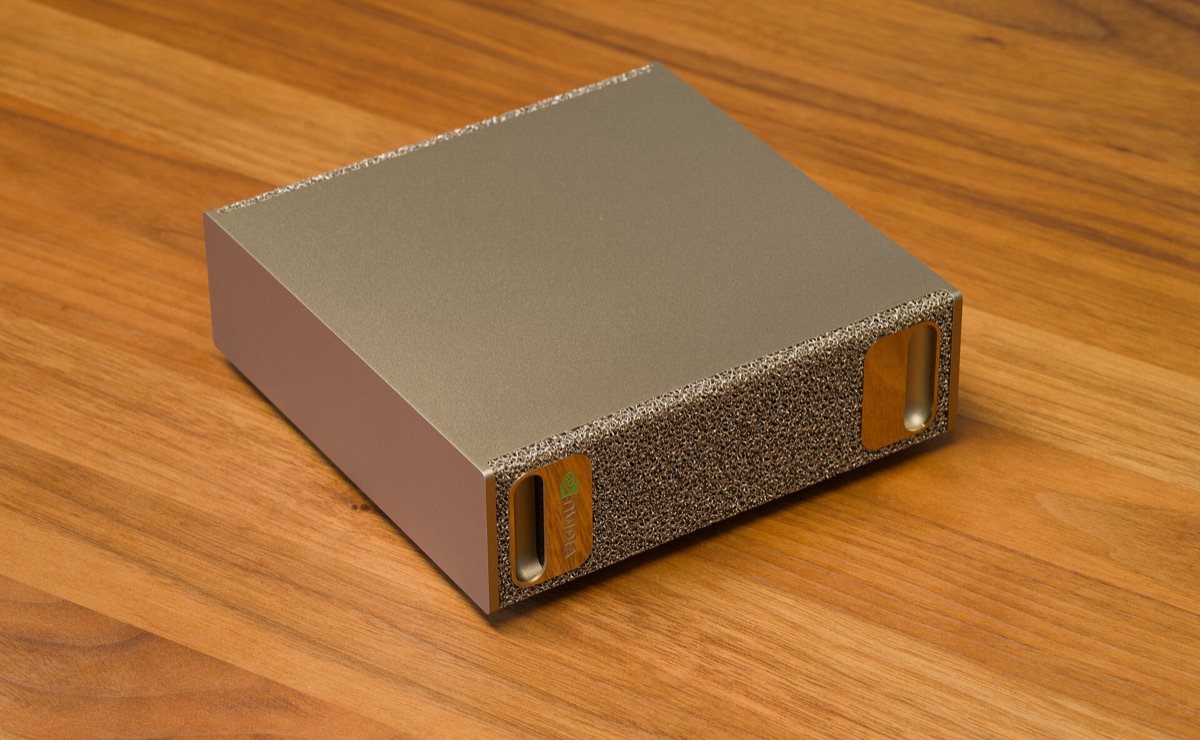
When people say “data center,” most picture a windowless warehouse humming beside a highway — and your files on a rack inside it. That image is the cloud: borrowed compute, outdated and rented. Here’s what a data center looks like now — quiet, book-sized, in your office, answering only to you.
The warehouse in your head is the cloud
“Cloud” is a marketing word for a data center you don’t own. Someone else bought the racks, pays the power bill, hires the guards, and — this is the part that matters for your practice — writes the rules your AI must follow. The alternative isn’t “no data center.” It’s your data center.
AI hardware came down to desk scale
The models that needed a full equipment rack in 2020 run on a machine that fits in one hand today. Dense memory replaced rows of servers. Nothing about “local” means compromised anymore — a law firm’s entire document practice, analyzed on a node behind the reception counter, is a 2026 normal.
Whoever owns the box owns the rules
Rented compute has always come with rented conduct: a vendor’s content policy, a vendor’s retention habits, a vendor’s idea of what’s appropriate — applied to your client work and your patients’ records. Owning the machine is what makes “your judgment is final” more than a slogan.
What the install actually feels like
This is the question every office manager should ask a vendor — and most can’t answer. Ours is boring on purpose: nothing about your office changes, because this isn’t the kind of “server” your office fears.
What you might be picturing
- A fan roars over the copier all afternoon
- Heat, blinking lights, a rack nobody is allowed to touch
- A dedicated room, upgraded cooling, an electrician
- A reconfiguration that takes staff off their systems for a week
- Landlord, IT, and insurance conversations before anyone can start
What actually arrives
- One box, 5–7 inches across — on a shelf, on the credenza, behind the counter
- Fanless-grade quiet: quieter than the office refrigerator. You forget it exists
- One power cable — it draws less than a coffee maker, from a normal outlet
- Installed in a day, side-loaded beside your existing network; no staff downtime
- No room, no rack, no cooling changes, no landlord or IT dependency
Compare it to what you’re already paying
This purchase doesn’t compete with gadgets — it competes with the subscriptions you already carry: roughly $200 per person, per month, billing forever. Your firm already budgets for its own equipment, too; the node goes on that line, right next to the server and the copier you own — and it covers everyone.
Rented AI transfers nothing
$200 a head, every month — that’s the real rate card of AI subscriptions. The bill repeats forever, grows with every hire, and quietly reprices when you depend on it. Cancel, and the whole capability disappears — no hardware, no configuration, nothing on your books. And all along, your confidential work travels to someone else’s servers under someone else’s rules.
Owned AI compounds in your favor
One node serves the entire firm — unlimited users, one flat service fee, nobody counting seats. Titled to you at install, depreciating on your books, with an optional trade-in when you want the next generation. Your documents, your rules, your audit trail — and when a subscription vendor changes their mind about your industry, your machine doesn’t notice.
Rent an AI, and it answers to someone else. Own one, and it answers to you.
The “cloud” vs. “local” debate was never really about location. It’s about who writes the rules, who keeps the audit trail, and who can say no. A data center you own puts all three answers in your building. It’s your hardware — bought, owned, titled to you.
Product photos: DGX Spark images via Wikimedia Commons (CC BY-SA 4.0, Daniel Lu).